SWITCH
| Genre: | Adventure |
| Type: | Base Game |
| Game Size: | 12.1 GB |
| Format: | NSP |
| Version: | 1.5 |
| Serial ID: | 0100F2C0115B6000 |
| Languages: | English, Japanese, French, German |
| Required Firmware: | 16.0.3+ |
| Release Date: | July 03, 2026 |
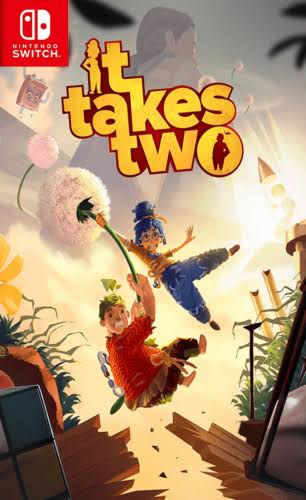
It Takes Two NSP is an award-winning platform adventure game developed by Hazelight Studios and published by Electronic Arts. It has captivated players with its innovative cooperative gameplay and heartwarming story.
It Takes Two keeps players engaged and entertained by offering a constantly evolving, rich, and diverse gameplay experience. The game is packed with puzzles, platforming sections, and action sequences that require precise coordination and teamwork. Each stage presents new mechanics and challenges, ensuring the game always remains fresh and exciting.
Players take on the roles of Cody and May, journeying through fantastical environments ranging from a bustling nightclub to a magical snow globe. The game cleverly blends gameplay with story, creating a seamless and immersive experience.


1. Copy the NSP or XCI file to your Switch SD Card.
2. Open your preferred installer (DBI, Awoo Installer, or Tinfoil) on custom firmware (Atmosphère).
3. Select "Install from SD Card" or USB/Network option and confirm installation.
4. Ensure your custom firmware is updated to required firmware (16.0.3+) or higher.
If you experience a black screen on boot:
1. Update your Sigpatches to the latest version compatible with your Atmosphère release.
2. Verify that your system firmware meets the required minimum (16.0.3+).
3. Re-download the game NSP file to rule out file corruption during transfer.
User Comments & Reviews