SWITCH
| Genre: | Action / Adventure |
| Type: | Base Game |
| Game Size: | 1.8 GB |
| Format: | NSP |
| Version: | 1.0.3 |
| Serial ID: | 0100F2C0115B6000 |
| Languages: | English, Japanese, French, German |
| Required Firmware: | 16.0.3+ |
| Release Date: | April 8, 2026 |
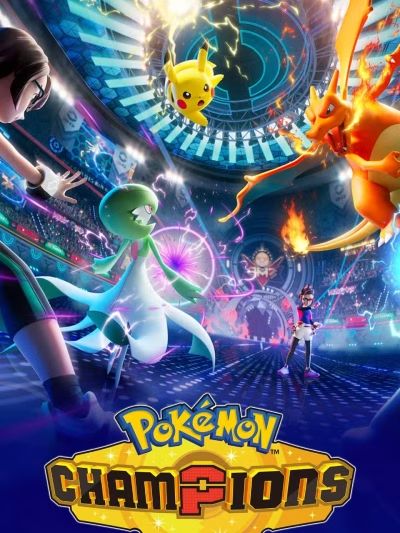
Pokémon Champions NSP is a battle royale game where players compete to become the Pokémon Champion in the Holy City. You can battle a variety of Pokémon, including massive, evolved Pokémon like Mega Dragonite, using the same battle system as the official Pokémon tournaments. The game features familiar mechanics such as Pokémon types, abilities, and moves, allowing players to employ clever strategies in both solo and duo battles.
If you’ve played any of the main Pokémon games, Champions will evoke feelings of nostalgia. You and your opponent can form two teams of six Pokémon for 3v3 solo battles or 4v4 duo battles (apologies to those expecting four-player squad battles).
Also Read !!! Hyrule Warriors: Definitive Edition NSP
You choose attacks simultaneously and battle until one team is completely defeated. It’s a nostalgic experience, and the combination of anticipation, clever strategy, and a bit of luck—a hallmark of the Pokémon games—is one of the main reasons I’m returning to the game after almost 30 years.
The game supports Pokémon HOME, allowing you to transfer Pokémon from other Pokémon games like Pokémon GO and Pokémon Legends: Z-A. Some premium Pokémon, such as Chestnut, Delfox, Greninja, and Eternal Flower Floette, can unlock Mega Gems in the game when transferred via Pokémon HOME.
Also Read !!! Dispatch NSP


1. Copy the NSP or XCI file to your Switch SD Card.
2. Open your preferred installer (DBI, Awoo Installer, or Tinfoil) on custom firmware (Atmosphère).
3. Select "Install from SD Card" or USB/Network option and confirm installation.
4. Ensure your custom firmware is updated to required firmware (16.0.3+) or higher.
If you experience a black screen on boot:
1. Update your Sigpatches to the latest version compatible with your Atmosphère release.
2. Verify that your system firmware meets the required minimum (16.0.3+).
3. Re-download the game NSP file to rule out file corruption during transfer.
User Comments & Reviews