SWITCH
| Genre: | Switch NSP |
| Type: | Base Game |
| Game Size: | 3.8 GB |
| Format: | NSP |
| Version: | 1.5.0 |
| Serial ID: | 0100F2C0115B6000 |
| Languages: | English, Japanese, French, German |
| Required Firmware: | 16.0.3+ |
| Release Date: | July 03, 2026 |
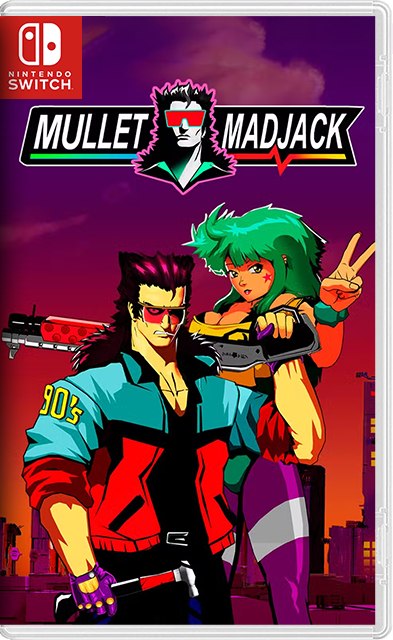
MULLET MADJACK NSP takes you on an exciting journey to a futuristic world in 2090, where humans and the internet have merged into a new entity. In this world, time has real value. Your health in the game is directly tied to time, and you must eliminate enemies to restore it.
In MULLET MADJACK, you play as the main character tasked with defeating AI robots known as “ROBILLIONAIRES” to survive. Each level is randomly generated, presenting new and exciting challenges to overcome. As you progress through the game, you can customize your character and add depth to the arcade-inspired gameplay.
The game offers a thrilling experience that blends the excitement of classic arcade games with nostalgic anime. Its fast-paced gameplay, immersive story, and countless power-ups guarantee hours of fun. So why wait? Download the latest version of MULLET MADJACK now and embark on an unparalleled epic adventure.


1. Copy the NSP or XCI file to your Switch SD Card.
2. Open your preferred installer (DBI, Awoo Installer, or Tinfoil) on custom firmware (Atmosphère).
3. Select "Install from SD Card" or USB/Network option and confirm installation.
4. Ensure your custom firmware is updated to required firmware (16.0.3+) or higher.
If you experience a black screen on boot:
1. Update your Sigpatches to the latest version compatible with your Atmosphère release.
2. Verify that your system firmware meets the required minimum (16.0.3+).
3. Re-download the game NSP file to rule out file corruption during transfer.

User Comments & Reviews